
THE INDEPENDENT FIELD GUIDE
Voodoo Fishin' Co-op, Hosting, and Playing with Friends
Edited
Voodoo Fishin' supports online docks for one to six players. To play privately, have one player host a private dock and share its dock code; joining players enter that code and press Enter. Proximity voice chat and push-to-talk are supported. A lobby-code error is a connection issue, separate from completing the fishing tutorial or a quota.
Six-player developer update and 1.0 listing, plus the documented private-code input. Host Private → dock was viewed in SL4GGY’s April 2026 recording; exact present menu layout and cross-platform play were not tested. Sources and scope.
Host once, then share the private code
Choose private hosting when the group wants a private session. The observed menu in SL4GGY’s recording labels that action Host Private; after selection, the recording enters the starting dock. Public hosting is a separate choice on that menu.
Give joining friends the host’s dock code. The developer’s February private-lobby update explicitly says that Enter submits a typed code. Keep the host’s session available while joining rather than each player starting a separate private dock.
The developer describes the game as self-hosted. That description does not establish a dedicated-server package, console cross-play or unrestricted offline matchmaking. Use the actual dock code for the intended session, not a code from an earlier run.
Source notes
- SL4GGY — Voodoo Fishin’ beginner guide · SL4GGY · 2026-04-19T20:45:11-07:00
- Casting Toward Next Fest · BlakePotato / Lost Arcade · 2026-02-17
- Save 20% on Voodoo Fishin' on Steam · Lost Arcade · October 2026 listing

Six players, with nearby voice and optional push-to-talk
Six-player docks arrived in August and the release listing says 1–6 players. Older four- or five-player descriptions reflect earlier limits. The six-player limit includes the host.
The game has proximity voice chat, and the June update added push-to-talk. You can mute someone in the current Dock; blocking prevents future public-Dock matchmaking with that player. That is different from a guarantee that nobody can ever enter a private lobby.
Cooperation also changes what friends can do together: the Fish Club can stun a teammate’s hooked fish, a Chum Bucket can replenish a depleted spot, and sold fish fill shared quotas. Those are game systems, not prerequisites for hearing another player.
Source notes
- Six-Player Docks Are Here! 🎣 · BlakePotato / Lost Arcade · 2026-08-13
- Save 20% on Voodoo Fishin' on Steam · Lost Arcade · October 2026 listing
- Rusty Remy’s Junk Shop Update · BlakePotato / Lost Arcade · 2026-06-11
- Dock Quotas Have Arrived! · BlakePotato / Lost Arcade · 2026-07-09
Separate connection health from progress
When joining fails, retain the complete error message or code. The August update added more specific connection messages and logging, and the developer asks for that information in a report. A failed join does not mean your character needs another mission or a more expensive reel.
The September connection-health update addressed interrupted online-service connections that could prevent progress saving. October added protection against joining bugged lobbies. These are documented changes, not proof that every old session or missing record is recoverable.
Distinguish a connection error from a slow camera or low frame rate before changing settings. The lag and input branches explain which observations to keep. Stop making unrelated changes when the same code persists and send the message through the in-game Bug Reporter.
Source notes
- 🐟 Fish Population & Connection Improvements · BlakePotato / Lost Arcade · 2026-08-04
- Missions Have Arrived! 🗺️ · BlakePotato / Lost Arcade · 2026-09-24
- Getting the Dock Ready for 1.0! 🎣 · BlakePotato / Lost Arcade · 2026-10-01
Recording reference
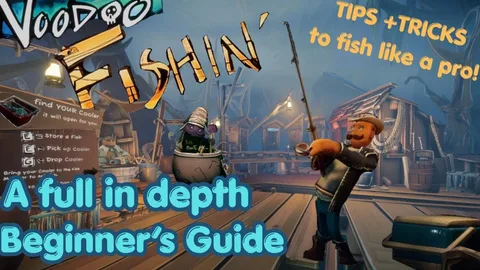 See the Host Private menu and dock transition ↗
SL4GGY’s Early Access footage at 1:48–1:55. This historical menu reference is not a 1.0 interface test.
Sources and scope
Source check: . This independent guide uses developer statements, platform documentation and the attributed original records linked in each section. It was prepared with AI assistance and editorial source comparison. The site has not played or tested the game. A source check is separate from the page’s edit date.
- SL4GGY — Voodoo Fishin’ beginner guide — SL4GGY. Early Access PC footage. Menu → private dock transition inspected at 1:48–1:55; Journal frame inspected at 24:50. No current-build gameplay test.
- Casting Toward Next Fest — BlakePotato / Lost Arcade. Steam PC; exact source build not stated
- Save 20% on Voodoo Fishin' on Steam — Lost Arcade. Steam PC; exact source build not stated
- Six-Player Docks Are Here! 🎣 — BlakePotato / Lost Arcade. Steam PC; exact source build not stated
- Rusty Remy’s Junk Shop Update — BlakePotato / Lost Arcade. Steam PC; exact source build not stated
- Dock Quotas Have Arrived! — BlakePotato / Lost Arcade. Steam PC; exact source build not stated
- 🐟 Fish Population & Connection Improvements — BlakePotato / Lost Arcade. Steam PC; exact source build not stated
- Missions Have Arrived! 🗺️ — BlakePotato / Lost Arcade. Steam PC; exact source build not stated
- Getting the Dock Ready for 1.0! 🎣 — BlakePotato / Lost Arcade. Steam PC; exact source build not stated