
THE INDEPENDENT FIELD GUIDE
Voodoo Fishin' Lag, Stutter, and Low FPS
Edited
For Voodoo Fishin' lag, first separate low frame rate from stutter, ignored input and a lobby connection error. Use the branch matching what you can observe, change one relevant setting at a time, and compare the same action before and after. The developer’s performance patches do not establish a universal fix or FPS target.
Windows/Steam and the developer’s April Steam Deck guidance, with connection and input updates through October 2026. No benchmark or gameplay reproduction was performed. Sources and scope.
Choose the symptom before changing settings
These symptom descriptions are a way to organize a report, not a diagnosis of your machine. A slow image, a missed small mouse movement and a failed join can occur for different reasons.
Start with what you can actually observe.
Scroll the table sideways to read every column.
| Symptom | Useful distinction | Next check |
|---|---|---|
| The image stays slow while turning or moving | Sustained low frame rate | Compare a lower graphics preset in the same scene. |
| The image pauses intermittently | Stutter or hitching | Record the action and whether it occurs while carrying a fish, opening a menu or joining. |
| Small mouse movements do nothing | Input response | Check the input branch and the high-DPI update context. |
| A join fails or shows a connection code | Session/network failure | Keep the exact message; lowering graphics is not a documented connection fix. |
| The game process exits | Crash | Use the launch/crash guide instead. |
Source notes
- 🐟 Fish Population & Connection Improvements · BlakePotato / Lost Arcade · 2026-08-04
- Missions Have Arrived! 🗺️ · BlakePotato / Lost Arcade · 2026-09-24
- Enchanted Decoy · BlakePotato / Lost Arcade · 2026-01-29
Make a reversible graphics comparison
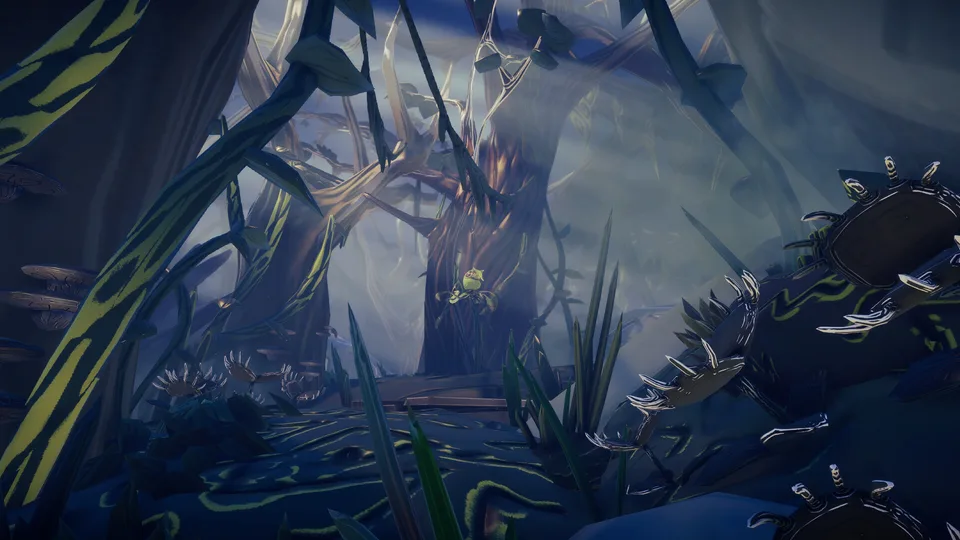
First compare your system with the published requirements. Record your current preset, lower the preset for one comparison, and repeat the same camera movement in the same area. Keep the setting only if it improves that observation; return to the recorded preset if it does not.
The developer added DLSS 4 support and an Ultra preset in a 2025 performance update. That is not a promise that every graphics card can use every DLSS feature. Avoid prescribing a setting that your game or hardware does not expose.
For Steam Deck, Lost Arcade’s April 27 recommendation is Balanced. Treat that as the developer’s stated starting point, not a current measured frame rate. Later updates may change the result.
Low Quality had shadows disabled as an April 14 temporary measure, after earlier notes had described shadows at all quality levels. Do not combine those historical patch descriptions into an exact current option table.
Source notes
- Performance & Tuning Update · BlakePotato / Lost Arcade · 2025-11-05
- Tuesday Tune-Up in the Bayou · BlakePotato / Lost Arcade · 2026-04-14
- Steam Deck Compatibility 🎮 Swamp on the Go! · BlakePotato / Lost Arcade · 2026-04-27
- Save 20% on Voodoo Fishin' on Steam · Lost Arcade · October 2026 listing
Use the matching input or connection path
For ignored tiny mouse motions, the September 24 notes describe a potential high-DPI fix. The wording is provisional; it does not prove that every sensitivity problem was solved. Record your DPI and which motion is ignored rather than setting every slider to maximum.
Reeling power and hold behavior have changed across updates. A March rebinding change used tap speed, followed by an April Hold to Reel option. If the difficulty is the reel action itself, record the current binding and mode before treating it as a frame-rate fault.
For a failed join, keep the entire connection message. August added more specific errors, September added connection health checks, and October added protection against bugged lobbies. The co-op session notes explain why those problems differ from progression or graphics.
If a mod changed the fishing action, compare without that added plugin using its documented removal path. Do not describe a modded bite-timing change as evidence that the unmodified game skips input.
Source notes
- Missions Have Arrived! 🗺️ · BlakePotato / Lost Arcade · 2026-09-24
- 🎮 Controller Update · BlakePotato / Lost Arcade · 2026-03-22
- EA Easter Patch! THANK YOU Fishin' Fam! · BlakePotato / Lost Arcade · 2026-04-03
- 🐟 Fish Population & Connection Improvements · BlakePotato / Lost Arcade · 2026-08-04
- Getting the Dock Ready for 1.0! 🎣 · BlakePotato / Lost Arcade · 2026-10-01
Check the result and know when to stop
For each comparison, write down the old setting, the single change, the same action you repeated and the result. A momentarily smoother view in a different scene is not a controlled improvement. Restore a change that does not help before testing another.
When the matching check does not help, stop stacking unrelated changes. Use the in-game Bug Reporter and include the symptom, machine specifications, graphics preset, game version if shown, and whether the issue happens alone or in a crew. For connection errors, the developer specifically requests a screenshot of the complete code or message.
If the process closes, switch to the crash report sequence. This page cannot diagnose an unknown hardware fault, prove a network cause, or recover progress lost during an interruption.
Source notes
- Getting the Dock Ready for 1.0! 🎣 · BlakePotato / Lost Arcade · 2026-10-01
- 🐟 Fish Population & Connection Improvements · BlakePotato / Lost Arcade · 2026-08-04
Sources and scope
Source check: . This independent guide uses developer statements, platform documentation and the attributed original records linked in each section. It was prepared with AI assistance and editorial source comparison. The site has not played or tested the game. A source check is separate from the page’s edit date.
- 🐟 Fish Population & Connection Improvements — BlakePotato / Lost Arcade. Steam PC; exact source build not stated
- Missions Have Arrived! 🗺️ — BlakePotato / Lost Arcade. Steam PC; exact source build not stated
- Enchanted Decoy — BlakePotato / Lost Arcade. Steam PC; exact source build not stated
- Performance & Tuning Update — BlakePotato / Lost Arcade. Steam PC; exact source build not stated
- Tuesday Tune-Up in the Bayou — BlakePotato / Lost Arcade. Steam PC; exact source build not stated
- Steam Deck Compatibility 🎮 Swamp on the Go! — BlakePotato / Lost Arcade. Steam PC; exact source build not stated
- Save 20% on Voodoo Fishin' on Steam — Lost Arcade. Steam PC; exact source build not stated
- 🎮 Controller Update — BlakePotato / Lost Arcade. Steam PC; exact source build not stated
- EA Easter Patch! THANK YOU Fishin' Fam! — BlakePotato / Lost Arcade. Steam PC; exact source build not stated
- Getting the Dock Ready for 1.0! 🎣 — BlakePotato / Lost Arcade. Steam PC; exact source build not stated